
How much electricity does a computer use depends on the hardware and the workload: gaming desktops draw roughly 300-800 W under load, regular laptops 30-70 W. Measure your own machine with a plug-in meter, then price it at your tariff.
Computer load is one slice of household demand, and trimming it belongs alongside the wider question of renewable energy, where cutting demand is one half of the picture. The sections below explain what drives the draw, give typical wattages, and show how to turn a meter reading into a cost and a carbon figure.
What drives a computer’s power draw
A computer’s draw is set by what its components are doing at that moment, not by a single fixed number. Idle, light tasks and full load sit far apart, so a single wattage rarely describes a whole day of use.
The graphics card is the largest single swing factor in a desktop. A high-end card such as the Nvidia RTX 5090 can pull up to 562 W by itself, which is a ceiling under heavy load rather than a typical figure. Most PCs include power-saving features that lower energy usage when the computer is idle, so a machine that sits at a desktop or runs basic tasks uses much less than one rendering video or running a game.
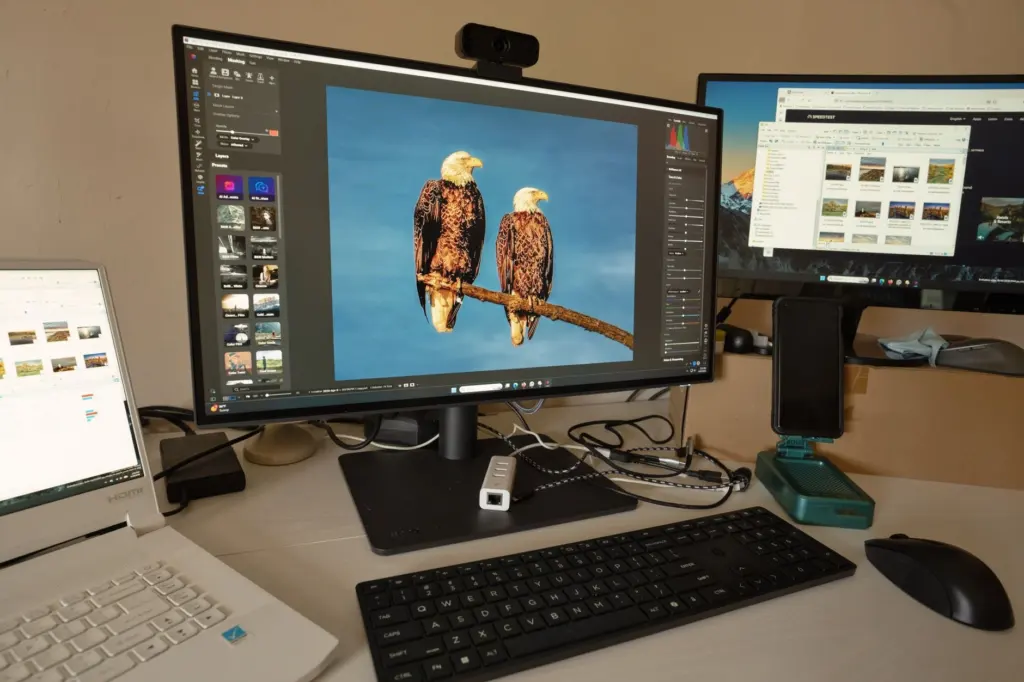
This is why idle and load need to be treated as separate numbers. A gaming PC that is switched on but not gaming still draws a meaningful amount, and that background draw is what keeps a nominally efficient machine expensive if it runs all day.
Typical wattage by device
The table below gathers the figures that matter most for a home setup. Use it as a starting range before you measure, and treat the high end of each range as a ceiling, not a target.

| Device and state | Typical draw | Planning use |
|---|---|---|
| Mid-range gaming PC while gaming | 300-500 W | A sensible starting estimate for a mainstream gaming build |
| High-end gaming PC while gaming | 500-800 W | Applies to builds with a top-tier graphics card; expect the highest bills |
| Gaming PC idle (on, not gaming) | 60-150 W | Use this for hours the machine is on but unattended |
| Regular laptop, normal use | 30-70 W | Suits browsing, documents and video calls |
| Gaming laptop while gaming | 150-300 W | Lower than a desktop rig, but well above an everyday laptop |
| Each additional monitor | 20-50 W | Add this per screen to the system total |
| PC shut down but plugged in | About 4.5 W | A single reported measurement of an older machine; small but constant |
These figures come from Solar Tech Online’s gaming PC guide and a SlashGear report on powered-off and standby use.
Those desktop figures describe gaming-class machines. A modest office desktop without a powerful graphics card is a different case, and a plug-in meter is the reliable way to place it. If you run a desktop with several screens, count monitors separately: every extra display adds its own draw on top of the tower.
Laptop or desktop: which uses less?
Yes, laptops generally use less electricity than desktops. An active laptop can pull about 60 W, while a desktop gaming rig can exceed 500 W. Regular laptops sit at 30-70 W during normal use, according to Solar Tech Online.
The gap narrows when the laptop is a gaming model. At 150-300 W during gaming it still draws less than a high-end desktop, but it no longer qualifies as a low-power machine. If your work is documents, browsing and video calls, a regular laptop is the clear low-energy choice. If you game, the saving from choosing a laptop is real but smaller, and the deciding factors are likely to be performance and screen size rather than the bill.
What running a computer costs at your rate
Electricity is billed in kilowatt-hours (kWh), the energy used by a one-kilowatt load running for an hour. Your electricity bill states a price per kWh, and that price changes the answer more than most people expect.
The average US price is about 17¢ per kWh according to PCMag, but city rates vary widely: Seattle averages 13¢, New York City about 27¢ and San Diego 41¢. The same machine therefore costs very different amounts depending on where it sits. Solar Tech Online prices a mid-range 450 W gaming PC used 5 hours a day at $11.13 a month at the 16.44¢ national average, $21.95 in California and $8.10 in Texas. It puts typical gaming use of 4-6 hours daily at $12-30 per month.
How much does it cost to run a PC all day? Hours are the multiplier. A gaming PC left on around the clock will cost more than the monthly range above, and the extra hours are largely idle hours at 60-150 W rather than gaming hours. The reliable answer is your measured watts, your hours and your tariff, which the next section sets up.
PCMag’s own measurement shows what a real reading looks like. A Kill-A-Watt meter on a home-office PC with mixed use recorded 11.02 kWh over a week. At San Diego’s 41¢ rate that came to $4.51 a week, or $234.94 a year. The same reading at Seattle’s 13¢ rate would be a fraction of that, which is why you should apply your own rate rather than a national average.
Standby loads add up across a household, too. A summary of an NRDC study reported by Phius puts the cost of always-on inactive home devices at about $19 billion a year, roughly $165 per US household. To see how a computer fits into your whole bill, read How Much Electricity Does the Average House Use? What To Expect In 2026 – Fixourfuel. For a much larger single appliance to compare against, see How Much Electricity Does a Window AC Use Per Month? Simple Calculations, Real Examples & Cost-Saving Tips (2026) – Fixourfuel.
Measure your own computer
A plug-in power meter gives the most accurate reading of your actual usage, and Solar Tech Online notes that such a Kill-A-Watt-style device costs $20-30. This is the best route for anyone whose machine does not resemble the examples above.
- Plug the meter into the wall. Connect the computer’s power cable, or the strip that feeds the computer and monitors, into the meter.
- Use the machine normally. PCMag recommends waiting about one week before recording results, so the reading covers a realistic mix of idle time and heavy use.
- Read the cumulative kWh. This number already combines your idle and load periods, so no separate averaging is needed.
- Apply your tariff. Multiply the kWh by the price per kWh on your electricity bill to get the cost for the period, then scale the weekly cost up to a year.
- Convert to carbon. Multiply the kWh by your grid’s emissions factor per kWh, which your utility or national grid operator publishes. Use the factor for your own region, since it varies with how your electricity is generated.
If you cannot buy a meter, you can estimate by multiplying a device’s watts by the hours it runs to get watt-hours, converting that to kWh, and applying the same tariff and emissions steps. Treat the result as an estimate rather than a reading.
Ways to cut a computer’s energy use
The biggest wins come from reducing hours spent at high draw, and then from cutting the draw itself. The options below are ordered from easiest to most involved.

- Let the computer sleep when idle. PCMag’s author estimated that sleeping an idle PC could save $30-50 per year. That was one test on one machine, so the saving for you depends on how long yours sits idle and on your rate.
- Use balanced or power-saver mode. Solar Tech Online advises enabling Windows’ balanced or power-saver modes when not gaming, which lowers CPU and GPU clocks during idle.
- Undervolt a gaming PC. The same source says undervolting the CPU and GPU can reduce power consumption by 10-20%. It suits confident builders; if you are not comfortable adjusting voltages, use the power modes instead.
- Choose an efficient power supply. Look for 80 PLUS Gold or higher when buying or replacing a PSU, since a more efficient unit wastes less of the power it draws.
- Count your screens. With 20-50 W per extra monitor, switching off a second display you rarely use is a straightforward saving.
Whether a hardware upgrade pays for itself depends on your hours and your tariff. Measure first, then decide whether a new component would actually lower the number.
Frequently asked questions
How many watts does a desktop computer use?
For gaming-class desktops, about 300-500 W while gaming for a mid-range build and 500-800 W for a high-end one, with 60-150 W at idle. A basic desktop will differ, so a meter reading is the dependable answer.
Does a computer still use power when shut down?
Yes, if it stays plugged in. One reported measurement of an older PC found about 4.5 W while shut down. Shutting the PC down first and then switching off a switchable outlet strip removes that draw.
Do power supply wattage calculators match real consumption?
They tend to run high. Solar Tech Online says such calculators often overestimate actual consumption by 20-30%, so use a meter reading rather than a calculator when estimating cost.
Are always-on household devices a significant cost?
They can be. A summary of an NRDC study puts always-on inactive devices at about $165 per US household each year on average, which is why checking standby loads is worthwhile.